AAC Voices
  • About
    • For Schools
    • For Families
    • Our Team
    • Photos
  • Portal
  • Contact
    • Register
  • Services
    • AAC Voices Online >
      • AAC Voices Online Offerings
      • Virtual Classroom
      • What I Am
      • Resources
      • Make a Payment
    • Ahern Academy >
      • Ahern Academy Curriculum
      • Ahern Academy Exclusive Content >
        • Ahern Academy Recordings
        • Ahern Academy Links
        • Ahern Academy Resources
        • AA Only Handouts
        • Recommended Products
        • UFLI Resources
    • AAC Groups >
      • AAC Voices Group History
      • Start a Group
    • Coaching
    • Events
  • Speaking
    • Upcoming and Previous Engagements
    • Handouts
  • Free Resources
    • Free Files
    • Books by Us
    • Kate Reads Picture Books
    • Podcasts
    • Graphics
    • Videos
  • Blog
  • Shop
  • About
    • For Schools
    • For Families
    • Our Team
    • Photos
  • Portal
  • Contact
    • Register
  • Services
    • AAC Voices Online >
      • AAC Voices Online Offerings
      • Virtual Classroom
      • What I Am
      • Resources
      • Make a Payment
    • Ahern Academy >
      • Ahern Academy Curriculum
      • Ahern Academy Exclusive Content >
        • Ahern Academy Recordings
        • Ahern Academy Links
        • Ahern Academy Resources
        • AA Only Handouts
        • Recommended Products
        • UFLI Resources
    • AAC Groups >
      • AAC Voices Group History
      • Start a Group
    • Coaching
    • Events
  • Speaking
    • Upcoming and Previous Engagements
    • Handouts
  • Free Resources
    • Free Files
    • Books by Us
    • Kate Reads Picture Books
    • Podcasts
    • Graphics
    • Videos
  • Blog
  • Shop

How Many Buttons?

11/4/2023

1 Comment

 
Picture
Picture
Picture
Picture
Picture
Picture
One of the frequent things we see in the field of AAC is a struggle to determine how many buttons per page to start with on a new AAC system.  Though there is a myth that one should start small and have a very limited system at first this is no longer best practice, best practice is to consider the users ability to  "Perceive and Access" the buttons on the system.

Perceive and Access
Start with as many buttons, the maximum, the user can perceive and access (often times called "see and touch", a brilliant approach from the folks at AssistiveWare, but perceive and access is more accurate as it includes visual needs, fine and gross motor needs, memory and working memory needs, alternative access and more).

This means determining the skills needed to perceive the buttons including vision and visual scanning for most users, but also memory and working memory (especially for those using indirect selection like switches) and hearing for those using auditory supports for access.  

As perception issues are considered, access is also considered.  How will the individual make selections?  Will they use direct selection like their finger, a stylus, a joy stick, eye gaze or head tracking? Will they use switches?  What supports will be used for the selection method? Do they need the button they are about to select to enlarge or change color? Do they need an auditory preview or auditory scanning? If switch scanning will be used how many options are they able to recall during a scan?  Can they do row/column or group/item scanning? Are they able to use their cognition and executive function to make selections while they hold their whole message in their head? Overall, how many buttons per page can they access - remembering that less is not necessarily easier! Less buttons per page means more navigation.  More navigation increases the need for executive function skills, working memory, attention span and patience of both the user and communication partner.

(One place to start is watching the individual use other technology or do other activities.  Can they navigate YouTube? Find the X to close the video? Visually scan over selections and make a choice? Yes? Then chances are you can go pretty small with the buttons, which means more buttons per page.)

When you base the size of the system on what they can perceive and access you meet visual and fine motor needs because you chose based on criteria that includes what can be seen and what can be selected.  Once all these factors have been considered and tried a decision should be made to use as many buttons as they can perceive and access WITHOUT considering if they know the words and symbols on the buttons, if they can combine words or anything else beyond perception and access.  They will learn the symbols, words and the system as a whole because we will teach it to them.

​Like all children the AAC user must be exposed to exponentially more words than they can currently "say" as they learn to communicate.  In the case of AAC this is done using aided language input (aka modeling). They need words to prove they can use words.  This is important to understand as the old belief was that they have to prove they can use words to get more words added to their communication system.  That myth's time has passed.  You also need words to model. You can’t model what’s not there! We might hide/mask words, use "progressive language" features or similar during learning activities (though I don't), so that we can have a smaller number of words during the activity, but then return the system to full access. Using these features ensures the buttons stay in the same location as buttons per page changes and a new motor plan doesn't have to be learned for each increase. 


There are some other things to think about when you decide to give a user a limited number of buttons per page:
  • you limit the language they can use and since language is about connection there is less to use to connect with others which minimizes motivation
  • you are attempting to mind read to know what they might need and since no one can mind read you will be wrong
  • you make assumptions about their ability and, worse, others seeing the limited vocabulary start to perceive the user as unable to use more language and doubt their cognitive abilities, stigmatizing them
  • you cause them to need to learn a new motor plan everytime you increase the grid size, limiting progress
  • you make words transactional as the student must earn the right to have words
  • “proving ability” becomes next to impossible since you need words to prove you can use words
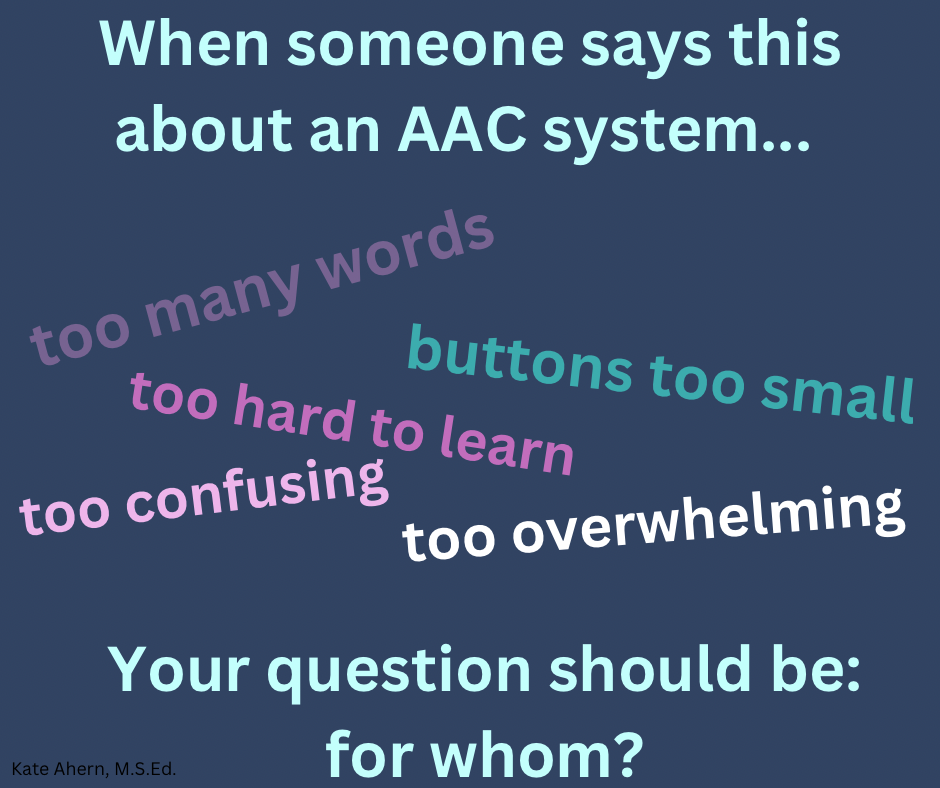
  • you are allowing the needs of the caregivers/stakeholders to outweigh the needs of the user as often concerns about "too many buttons" are based on the erroneous idea that if the stakeholder is overwhelmed then the user must be

​Remember, when you choose how many words someone "deserves" you are choosing the size of their world.  Choose carefully!
See also:
AAC through a Language Lens
https://blog.mycoughdrop.com/aac-through-a-language-lens/
​
Choosing a Grid Size by AssistiveWare
https://www.assistiveware.com/learn-aac/choosing-a-grid-size
Grid Sizes by Liberator AU
https://shorturl.at/eoFW9   
Prepare for AAC Use by Fluent AAC
https://www.fluentaac.com/prepare-for-aac-use 
What is beginning AAC? by Jane Farrell 
​https://www.janefarrall.com/what-is-beginning-aac/
1 Comment
BBW Escorts Columbia link
6/15/2025 10:36:40 pm

I find this approach of focusing on 'perceive and access' when determining button quantity very insightful.

Reply


Leave a Reply.

    Kate Ahern, M.S.Ed.

    Accessible education teacher focusing on students who communicate using AAC.  

    Archives

    March 2025
    December 2024
    February 2024
    December 2023
    November 2023
    October 2023
    June 2023
    May 2023
    November 2022
    May 2022

    Categories

    All
    AAC
    Behavior
    Classroom Management
    Connection
    Facilitated Communication
    FC
    Literacy
    RPM
    S2C
    Shared Reading
    Trauma Informed Practice
    Vocabulary

    RSS Feed

Services

For Families
For Schools
AAC Groups
Coaching
Speaking

AAC Voices

About us
Events
Contact us

Extras

Handouts
Gallery
​
© COPYRIGHT 2015. ALL RIGHTS RESERVED.
google-site-verification=ZALMNaie6OvLW1rkZOsF-OXCxh4bQ3K6Yl4k8tgq5W4